
A garage door remote that stops working can be frustrating, especially when replacing the batteries does not solve the problem. Although dead batteries are a common cause of remote-control failure, other issues can prevent the signal from reaching the garage door opener. Lost programming, wireless interference, damaged buttons, and receiver problems can all affect how the system responds. Understanding why a garage door remote is not working can help homeowners identify the underlying issue, restore convenient access, and determine when professional garage door service is necessary.
We sought guidance from the professionals at Arizona Garage Doors to understand why garage door remotes can stop working even with fresh batteries, which troubleshooting steps homeowners can perform safely, and how to identify problems involving the remote, opener, or wireless connection.
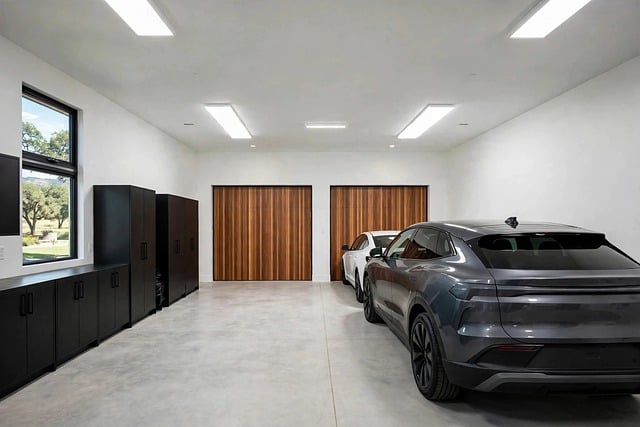
Why Is My Garage Door Remote Not Working? (Even After Changing Batteries)
When a garage door remote fails despite having new batteries, start with a few simple checks before assuming the device needs replacement. The following troubleshooting steps can help identify common causes and determine whether the problem lies with the remote control or the garage door opener.
- Check the Battery Installation and Contacts – Even new batteries will not power the remote if they are installed incorrectly or do not match the required specifications. Check the positive and negative terminals, confirm that the battery type is correct, and inspect the contacts for dirt or corrosion. If the indicator light remains off when you press a button, the issue may involve the battery connection or the remote’s internal electronics.
- Check the Opener’s Lock or Vacation Mode – Certain garage door openers include a lock feature that disables wireless remotes while leaving the wall-mounted control operational. If your remote suddenly stops working, check whether the lock or vacation mode has been activated. Follow the manufacturer’s instructions to restore normal wireless operation.
- Look for Wireless Signal Interference – Electronic devices, nearby radio-frequency equipment, and some energy-efficient LED light bulbs can interfere with garage door remote signals. If the remote works inconsistently or has recently lost range, consider whether new lighting or electronic equipment was installed near the opener. Consult the manufacturer’s recommendations before replacing bulbs or investigating potential interference.
- Test the Remote at Close Range – Stand near the garage door opener and press the remote button. If the remote works only when you are close to the garage, the problem may involve a weak signal, interference, or the opener’s receiving antenna. If possible, compare its performance with another compatible remote to help determine whether the issue is isolated to one device.
- Reprogram the Garage Door Remote – A remote may occasionally lose its pairing with the opener or require programming following a related system issue. Although many garage door remotes retain their programming when batteries are changed, reprogramming may still resolve certain connection problems. Follow the exact instructions for your remote and opener model. Avoid holding the opener’s Learn or Program button without checking the manual, because some procedures erase previously paired devices.
- Inspect the Remote for Physical Damage – Cracked casing, worn buttons, moisture exposure, or internal damage can prevent a remote from transmitting a signal even when its batteries are fresh. Check whether the buttons feel responsive and whether the indicator light activates when pressed. If the remote has been dropped or exposed to water, it may require repair or replacement.
Other Garage Door Opener Problems That Can Affect Remote Operation
Sometimes the remote itself is not the source of the problem. The garage door opener may have an electrical issue, a faulty receiver, or an incompatible accessory that prevents it from responding to wireless commands.
- Garage Door Opener Has No Power – If neither the remote nor the wall control operates the door, check whether the opener is plugged in and whether there are obvious signs of a power interruption. Persistent electrical problems should be assessed by a qualified technician.
- The Opener’s Receiving Antenna Is Obstructed or Damaged – The antenna helps the opener receive the remote’s radio signal. If it is obstructed, damaged, or improperly positioned, the remote’s operating range may be reduced. Inspect it visually without opening the electrical housing or handling exposed wiring.
- The Remote Is Incompatible With the Opener – Replacement remotes are not universally compatible with all garage door openers. If you recently purchased a new remote, confirm that it supports your opener’s manufacturer, model, frequency, and security system before attempting to pair it.
- The Opener’s Receiver or Internal Electronics Have Failed – If multiple compatible remotes fail despite correct programming, fresh batteries, and normal opener power, the receiving system or internal electronics may be faulty. Professional diagnosis can help distinguish a receiver problem from an issue with the remote itself.
For additional troubleshooting and model-specific instructions, consult Genie’s official garage door opener troubleshooting guide or the support resources provided by your opener’s manufacturer.
When to Repair or Replace a Garage Door Remote
If your garage door remote still does not work after checking the batteries, testing it at close range, confirming the lock settings, and following the correct programming procedure, further diagnosis may be necessary. A remote with damaged buttons or water-damaged electronics may need replacement, while an opener that fails to respond to multiple compatible remotes may require receiver or electrical service. Before purchasing a replacement, verify compatibility with your existing garage door opener to avoid programming difficulties. A qualified garage door technician can test the wireless connection, inspect the receiver, and determine whether the fault involves the remote or the opener system. Addressing the underlying problem rather than repeatedly replacing batteries or purchasing new remotes can help restore dependable operation.
In conclusion, homeowners can often resolve the cause for a garage door remote fails without unnecessary replacements. When several remotes fail or the problem persists despite basic troubleshooting, professional garage door service can help pinpoint the fault and restore reliable access.
Written by Arizona Garage Doors, your local garage doors and gate technician in Mesa Garage Door, Anthem Garage Door, New River Garage Door, Phoenix Garage Door, Chandler Garage Door, Gilbert Garage Door, Tempe Garage Door, Sun City Garage Door, El Mirage Garage Door, Surprise Garage Door, Peoria Garage Door, Buckeye Garage Door, Goodyear Garage Door, Glendale Garage Door, Scottsdale Garage Door,Avondale Garage Door, Sun City West Garage Door, Fountain Hills Garage Door, Queen Creek Garage Door and Sun Lakes Garage Door.